


TrueWin APK Download for Android
An APK is simply an installation file for Android, and for this platform it is the route to the dedicated application: download the file, permit the install, sign in – the account you already hold is waiting inside. The catch is not technical. It is provenance. An APK can be copied, renamed, and altered by anyone who touches it on the way to your phone, which is why this page is built around a single idea: the file comes from the official website, or it does not come at all. Everything else – steps, requirements, updates, fixes – follows from that one rule.
The customary reminder precedes any download. Online casino play and sports wagering are regulated differently across countries, and those rules change, so please confirm independently that such activity is permitted in your jurisdiction before you register, deposit, or play. The check is yours to make. Note also that the application is optional: the mobile version of the site opens in any phone browser with nothing to install, so the APK is a convenience for regulars rather than a requirement for anyone. Read on, then decide at leisure whether the file belongs on your device.
Where to Get the Official APK
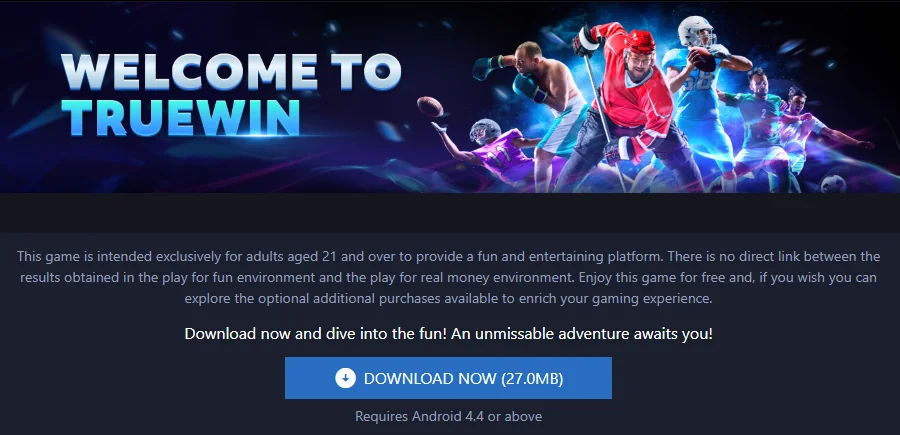
One source. The application section of the official website publishes the Android file, and that page is the only legitimate origin of it – full stop. Why the insistence? Because the internet is generous with copies. Forum threads, messenger groups, and third-party APK libraries all offer files carrying the platform’s name, and none of them can prove what happened to the file between the original and their upload. A modified installer may look identical, open identically, even show the familiar sign-in screen… and quietly compromise the device or the details typed into it. The official page removes the question entirely.
Recognising the wrong source is easier than it sounds. Treat any of the following as a signal to stop:
- A download link arriving by message, advert, or unsolicited email rather than from the site you opened yourself;
- A page reached through a search result whose address does not match the official domain you know;
- A file described as “modded”, “unlocked”, “premium”, or “newer than official”;
- Any request to enter your account password before the file is provided;
- A site that bundles the APK with a second “helper” installer.
Reach the download page by typing the official address yourself or through a bookmark saved on a trusted first visit, and the chain of custody stays unbroken. Open that page when you are ready, and go nowhere else for the file.
Android Installation Steps

With the file from the right place, the rest is mechanics. Expect one unfamiliar prompt: Android asks permission before installing anything from outside its pre-installed store, and every APK on every device triggers it. Procedure, not alarm. The sequence:
- Open the official website in your phone’s browser and go to the application section;
- Select the Android download and let the file save completely – a partial file will not install;
- Open the downloaded file from the notification or the downloads folder;
- When the system asks, allow installation from this source in the settings prompt, then return to the installer;
- Confirm, wait for the progress bar, and select Open when it finishes;
- Sign in with your registered phone number or email and your password, or complete registration if you are new;
- Delete the installer file afterwards – it has served its purpose.
Five minutes, typically less. Pick a quiet moment on home Wi-Fi rather than a hurried one on a moving train, and the steps above are all it involves. And since the app makes sessions effortless to begin, set your personal limits in the same sitting: a spending ceiling, a session length, play treated as entertainment and nothing more. Responsible play installs alongside the application, or it should.
Version and Device Requirements
Requirements are deliberately light, and the confirmed one is a version number: the application runs on Android 4.4 or newer, which takes in nearly every handset still in service. As for the current build number and the size of the file itself, those figures live on the official download page and change with each release – this guide does not reproduce them precisely because a number printed here would go stale while the page stays current. The table gathers what you need to check before downloading.
| Requirement | Detail |
|---|---|
| Android version | 4.4 or newer |
| Current build number | Shown on the official download page; changes with each release |
| File size | Shown on the official download page; not fixed across versions |
| Storage | Enough free space for the installer and the installed app |
| Connection | Stable network for the download \- home Wi-Fi is the comfortable choice |
| Permission | One-time approval to install from this source, requested by Android |
Does an older phone qualify? If it runs Android 4.4 or later, yes – it may work more slowly, as it does everything more slowly, but slow and incompatible are different complaints. Check the version in your phone’s settings, glance at the download page for the current file details, and you have the full picture in under a minute.
Updating the APK Safely
The installed app is a file on your device, and files do not refresh themselves. When a new build ships, the updated APK appears on the official website, and updating repeats the installation routine exactly: download the fresh file from that same page, open it, and install over the existing copy. Your account is untouched throughout – the profile, balance, and history live on the platform, not inside the installer, so nothing is lost and nothing needs re-entering beyond the usual sign-in.
The danger in updating is the same danger as in installing, wearing different clothes. A message promising a “newer” version, a forum post with an “improved” build, a library listing a higher version number than the official page shows… every one of these is an invitation to install a file of unknown origin, and a higher version number proves nothing about what the file contains. Modified APKs are precisely how accounts and devices come to grief. Compare the version in the app’s information screen with the official page once a month, update only from that page, and the subject stays as boring as it should be. Make the monthly glance a habit today.
Installation Errors and Fixes
Most installation failures have small, mechanical causes. Before assuming the worst, work through the usual suspects:
- “App not installed” or the installer closes at once – the source permission was not granted; open the settings prompt Android showed, allow this source, and run the file again;
- The file will not open at all – the download was interrupted; delete the partial file and download a complete copy from the official page;
- Installation blocked as “incompatible” – the device is below Android 4.4, or storage is nearly full; check the version in the settings and free some space;
- The app installs but crashes on launch – restart the phone, clear the app’s cache, or reinstall a freshly downloaded copy;
- The app opens but sign-in fails – not an installation issue; retype the details by hand and use the recovery option in the sign-in window if needed.
If a device genuinely cannot run the application, nothing is lost – the mobile version of the site works in the phone’s browser with every section intact, no installation required. For a fault that survives the list above, live chat and the Help Center are the right next stop; bring the device model, Android version, and the step at which things stopped, and keep your password to yourself, since no genuine support procedure ever asks for it.

APK FAQ
**Why is the app distributed as an APK rather than through an app store?** The official website is the distribution channel the platform specifies for its Android application. The reasons behind that choice are not stated on the official website, and this guide does not speculate on them.
**Will uninstalling the app affect my account?** No. Your profile, balance, and history are stored on the platform, not in the app. Reinstall from the official page whenever you wish and sign in as usual.
**Is there an iOS version of the APK?** No – an APK is an Android-only format by definition, and a dedicated iOS application is not specified on the official website. iPhone users open the mobile version of the site in their browser instead.
**Another website offers a newer TrueWin APK than the official page. Should I use it?** No. A higher version number is not evidence of anything; only the file on the official website has a known origin. Treat every other source as unofficial regardless of what it promises.
**What should I do before downloading?** Confirm the phone runs Android 4.4 or newer, free up some storage, open the official website through your own bookmark – and, before registering, depositing, or playing, verify that online betting and casino activity is permitted in your jurisdiction.